
E-commerce plugins
OpenCart extension
Install and configure the official OpenCart payment extension with native OAuth, DPoP-bound tokens, hosted MakePay checkout, and signed webhooks.
Overview
MakePay for OpenCart lets merchants accept crypto payments through hosted MakePay checkout without collecting payment details inside OpenCart. The extension appears as an OpenCart payment method, creates a MakePay payment link for each order, redirects the shopper to MakePay, and accepts signed webhooks to update OpenCart order status.
Before you start
- OpenCart 4.x
- PHP 8.0 or newer
- HTTPS on the store frontend
- A MakeCrypto company with MakePay enabled
- A MakeCrypto user who can connect the receiving company
- Optional: a MakePay API integration for manual API-key fallback
OpenCart stores extension settings in its database. Keep access to OpenCart admin limited to trusted operators because connection details, webhook secrets, and optional API-key fallback credentials are stored in the payment extension settings.
Set up MakeCrypto
Complete merchant setup before connecting OpenCart.
- Open Home > Merchant > Payment settings and confirm MakePay is enabled.
- Open Home > Integrations > API Integrations.
- Confirm the user connecting OpenCart can manage integrations for that company.
- Optional fallback: create or select an API integration, then copy the company ID, API key ID, and API key secret.
Install the extension
The recommended source is the official OpenCart Marketplace listing:
Open in OpenCart Extension Explorer
For manual installation, download the latest OpenCart package directly:
Download manual OCMOD ZIP
Then install it in OpenCart:
- In OpenCart admin, open Extensions > Installer.
- Upload
makepay.ocmod.zip. - Open Extensions > Extensions and choose Payments.
- Find MakePay and click install.
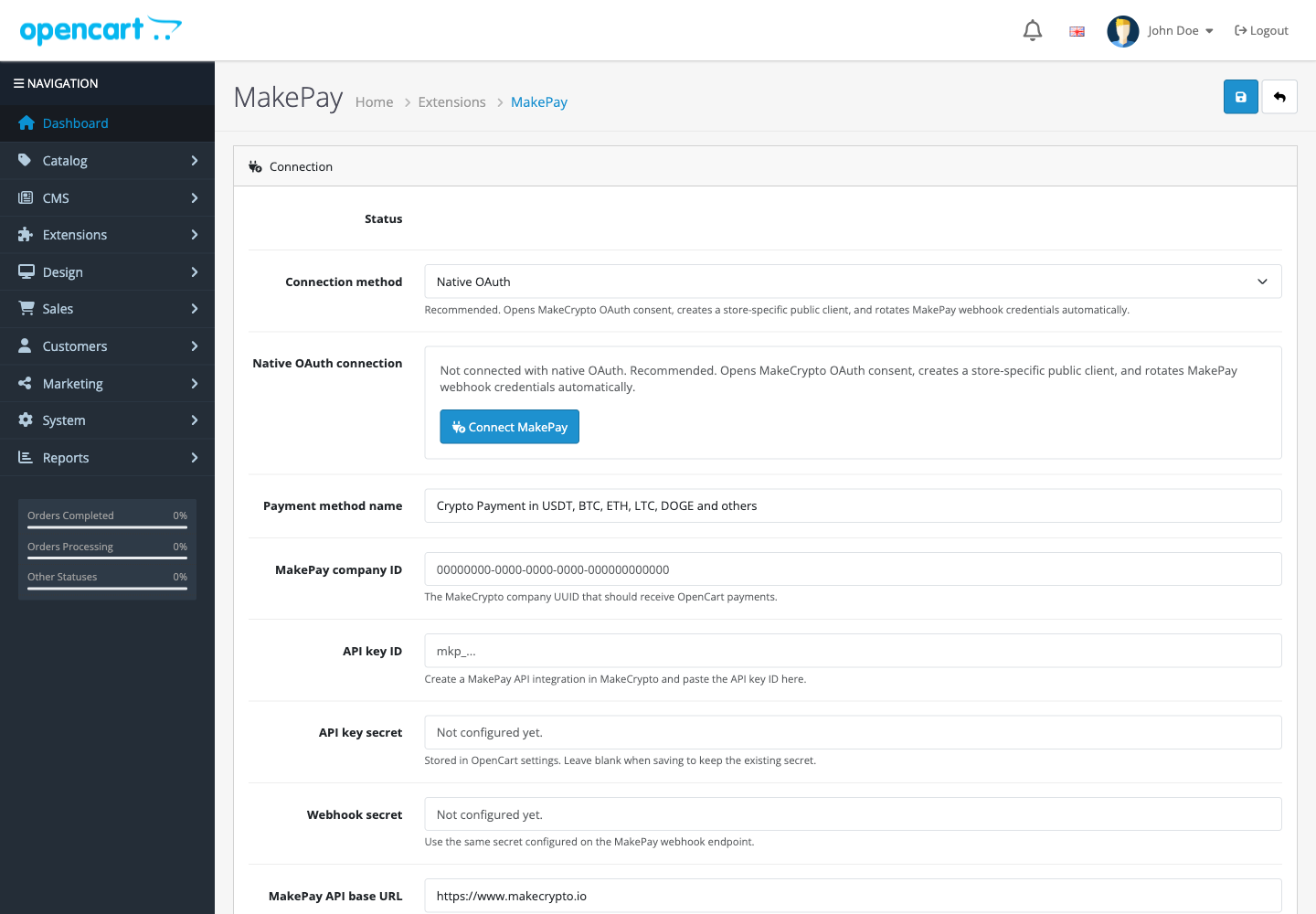
- Open Edit to configure the payment method.
The package root contains install.json, admin/, and catalog/, matching the
OpenCart 4 extension installer layout.
Connect MakePay
In Extensions > Payments > MakePay, use Connect MakePay. The extension:
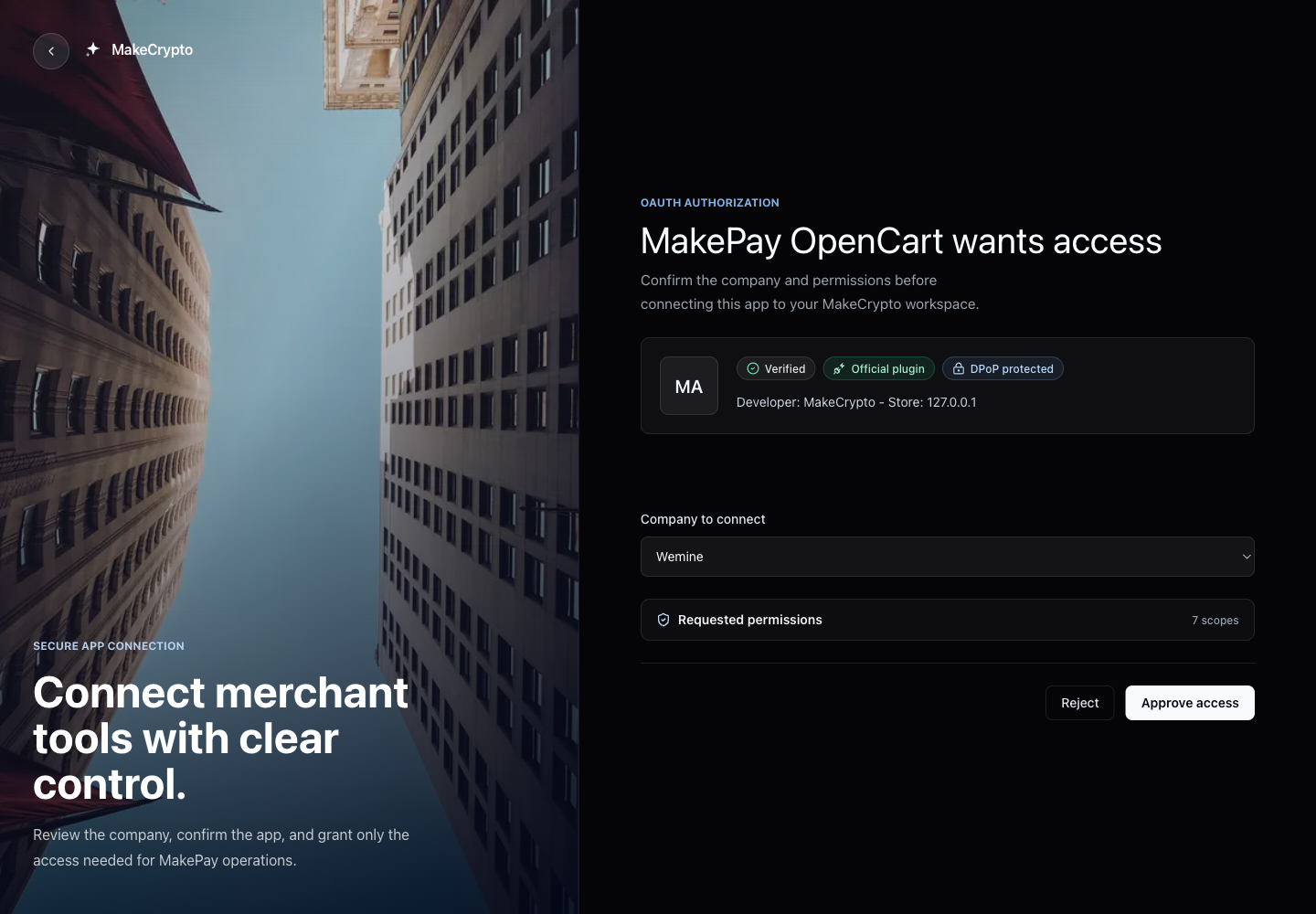
- Opens MakeCrypto in a browser tab.
- Asks you to sign in and choose the company that should receive payments.
- Shows the permissions needed by the OpenCart extension.
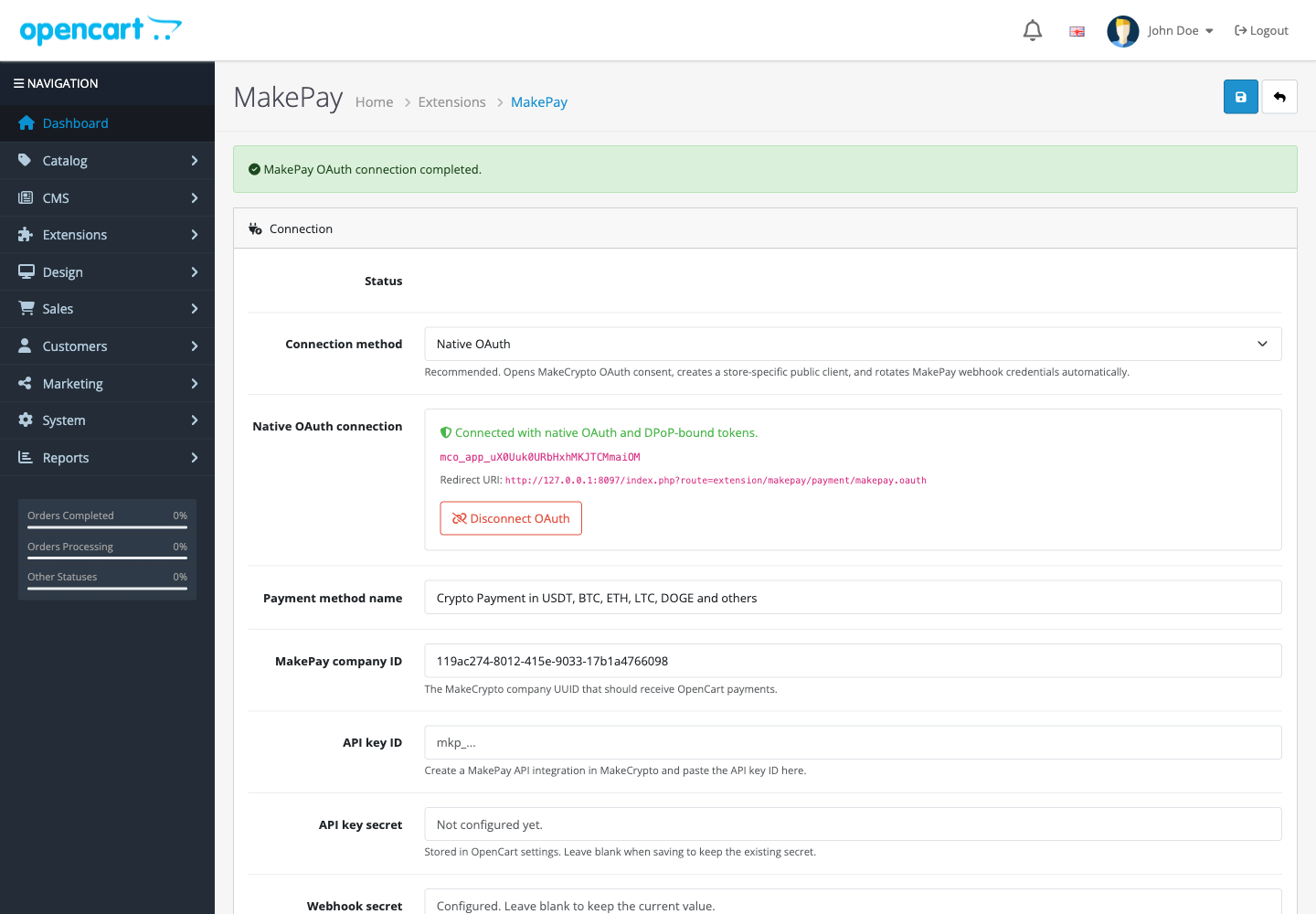
- Returns you to OpenCart after approval.
- Saves the store connection and company ID.
- Configures the MakePay webhook callback URL and webhook secret.
The connection asks for these permissions:
company:read
makepay:payment-links:read
makepay:payment-links:write
makepay:customers:read
makepay:customers:write
makepay:settings:read
makepay:settings:write
The redirect URI has this shape:
https://your-store.example/index.php?route=extension/makepay/payment/makepay.oauth
Configure MakePay
In Extensions > Payments > MakePay, configure:
| Field | Value |
|---|---|
| Status | Enabled |
| Payment method name | Shopper-facing checkout label |
| Connection method | Connect MakePay, or manual API key fallback |
| MakePay company ID | Filled after connection, or manually entered for API-key fallback |
| API key ID | API integration key ID for fallback only |
| API key secret | API integration secret for fallback only |
| Webhook secret | Set during connection, or manually entered for fallback |
| API base URL | https://www.makecrypto.io |
| Settlement currency | Default settlement asset, for example USDT |
| Payment link expiration | For example 12h |
| Checkout experience | Hosted redirect, or embedded checkout with a secure iframe and hosted-link fallback |
The default payment method name is:
Crypto Payment in USDT, BTC, ETH, LTC, DOGE and others
Configure webhooks
Copy the webhook URL shown in the OpenCart MakePay settings page. It has this shape:
https://your-store.example/index.php?route=extension/makepay/payment/makepay.webhook
Connect MakePay configures this callback automatically. For manual API-key fallback, add it to MakePay webhook settings with the same webhook secret entered in OpenCart.
The extension verifies X-MakePay-Signature before it updates an order. The
signature uses the timestamped HMAC format:
t=1760000000,v1=<hex-hmac>
Checkout flow
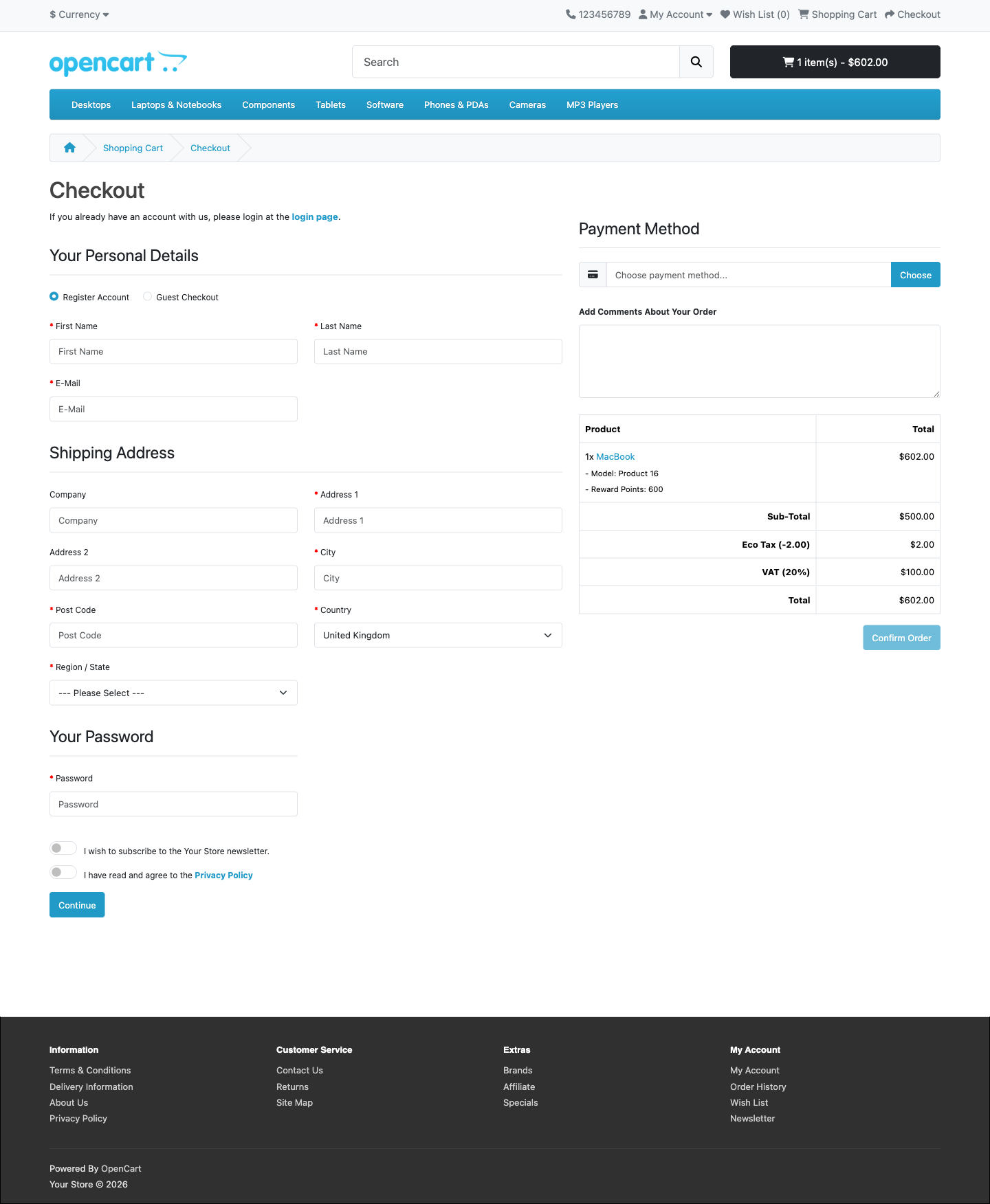
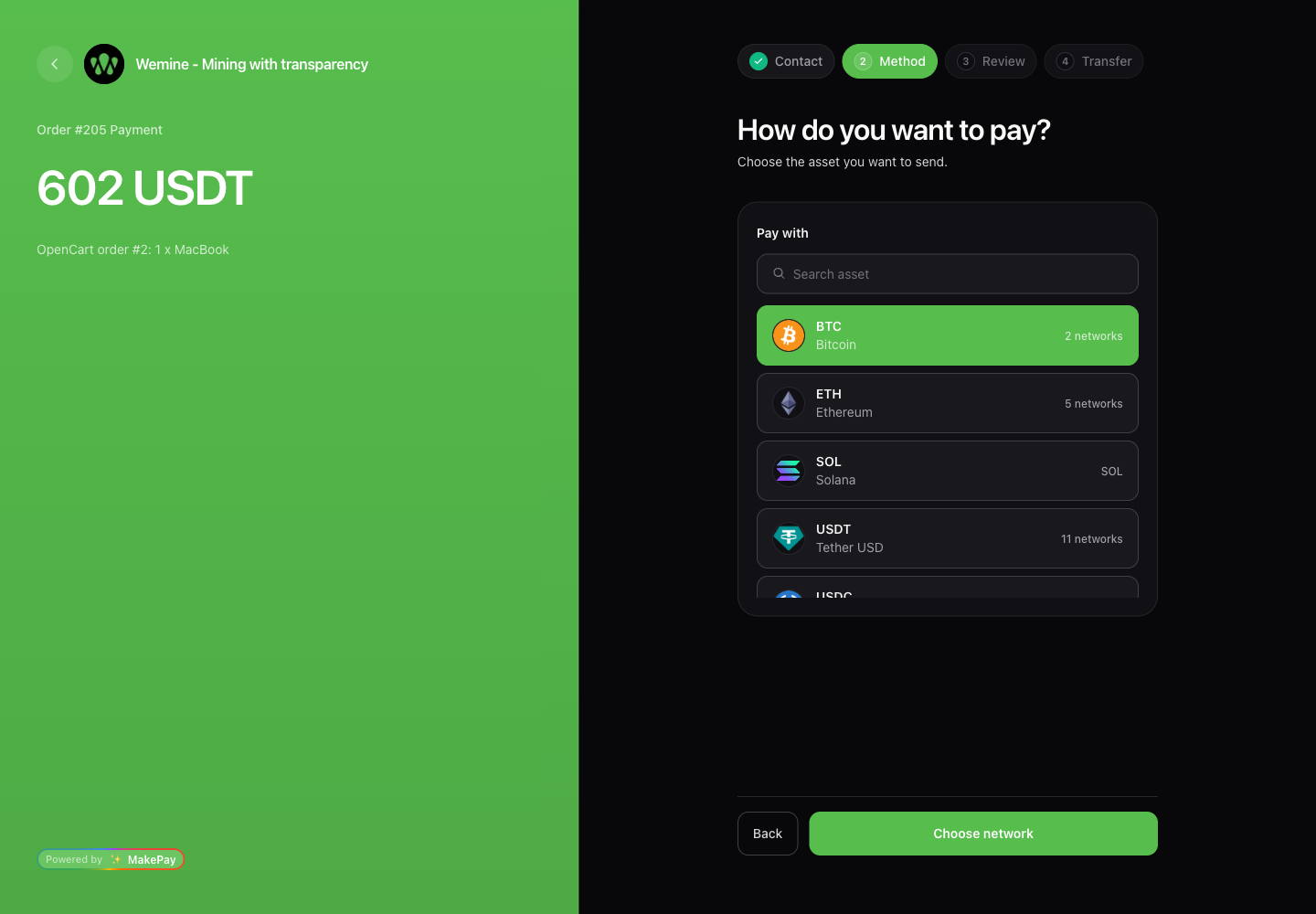
When the shopper selects MakePay:
- OpenCart validates the active order and selected payment method.
- The extension calls the MakePay partner API to create a payment link.
- The order is moved to the configured pending status.
- The shopper opens the selected MakePay checkout experience.
- A signed webhook updates the OpenCart order after payment status changes.
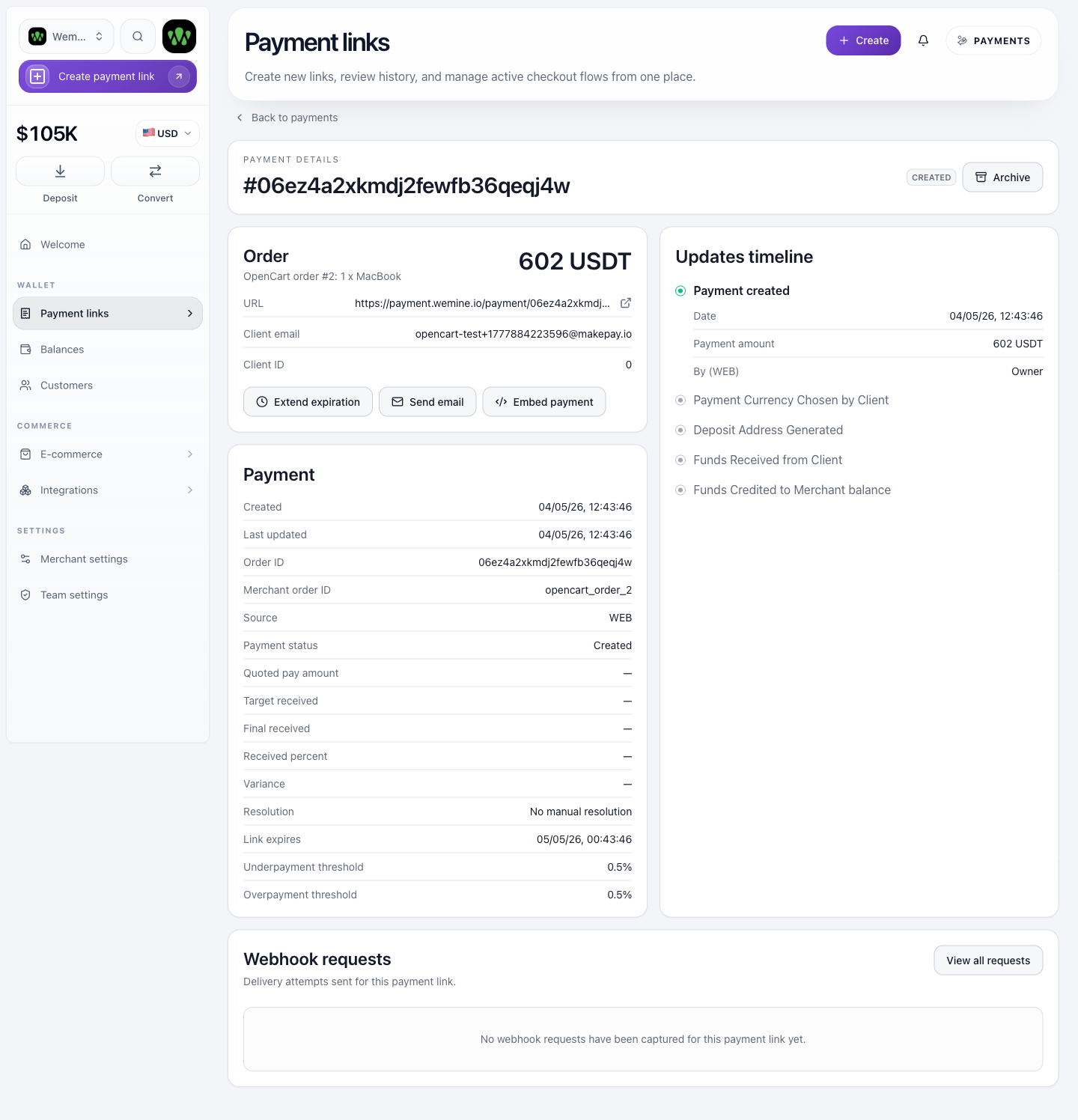
The payment link includes metadata:
| Metadata | Purpose |
|---|---|
source=opencart | Identifies the integration |
orderId | OpenCart order ID |
storeId | OpenCart store ID |
storeName | Store name |
storeUrl | Store frontend URL |
opencartOrderId | OpenCart order ID for dashboard and webhook matching |
opencartOrderAdminUrl | Admin order URL used by MakeCrypto's Show order action |
storeOrderAdminUrl | Generic admin order URL fallback for connected stores |
moduleVersion | MakePay OpenCart extension version |
opencartVersion | OpenCart runtime version |
Order states
Configure the status mapping in the extension settings.
| MakePay status | OpenCart status |
|---|---|
paid, completed, confirmed, succeeded | Paid status |
failed, expired, chargeback | Failed status |
cancelled, canceled | Cancelled status |
refunded | Refunded status |
| Any in-progress status | Pending status |
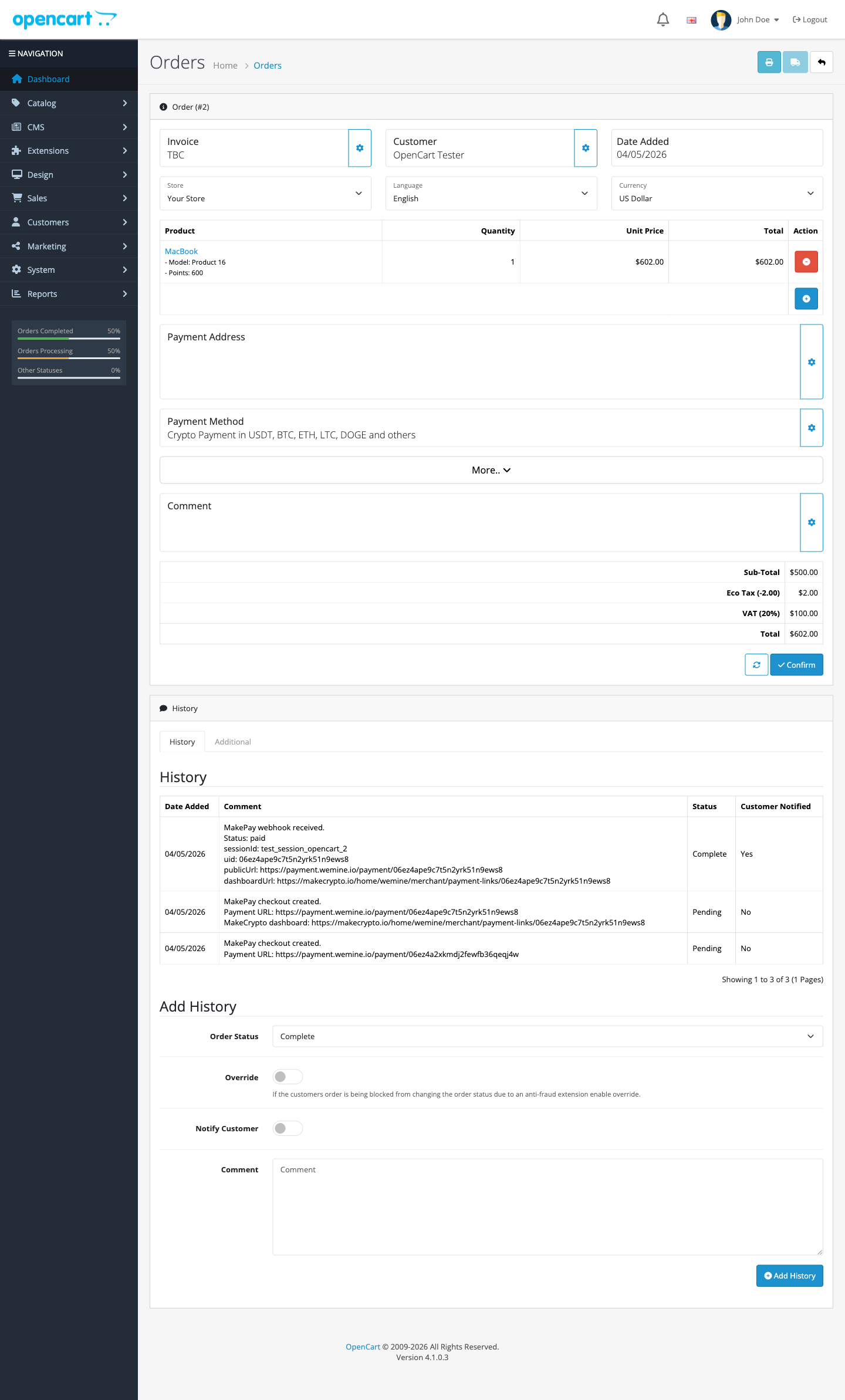
The extension adds an order history comment containing the MakePay status, payment UID or ID, amount, asset, and hosted checkout URL when present in the webhook payload. The initial checkout history entry also includes the public payment URL and the MakeCrypto dashboard payment link when the API response provides one.
Security notes
- Use HTTPS for checkout and webhook URLs.
- Keep OpenCart admin access restricted because connection details and optional API credentials are stored in OpenCart settings.
- Revoke the OpenCart connected app from MakeCrypto if an OpenCart admin account is compromised.
- Rotate the MakePay API key if manual API-key fallback credentials are exposed.
- Keep the webhook secret different from the API key secret.
- Treat unexpected webhook signature failures as a credential mismatch or a possible spoofing attempt.
Troubleshooting
If the payment method is not visible, confirm MakePay is enabled, the cart total meets the configured minimum, and the customer address matches the configured geo zone.
If Connect MakePay fails, confirm the OpenCart store URL is HTTPS and the browser returns to the callback URL shown above.
If checkout does not redirect, confirm the store is connected. For manual fallback, confirm the company ID, API key ID, API key secret, API base URL, and MakePay API integration permissions.
If orders do not update after payment, confirm the webhook URL is reachable publicly over HTTPS and the webhook secret in MakePay matches the secret saved in OpenCart.
If OpenCart reports an installer error, confirm the downloaded file ends with
.ocmod.zip and contains install.json, admin/, and catalog/ at the ZIP
root.